Appearance
git 相关
添加ssh地址
bash
git remote add origin-name ssh://user@url:port/path/to/repossh服务器仓库配置
bash
# 远程保持不变,既在接受到新commit后仍然保持当前commit
git config receive.denyCurrentBranch ignore
# 自动更新到最新commit
git config receive.denyCurrentBranch updateInstead多人协作要点
设置邮件推送
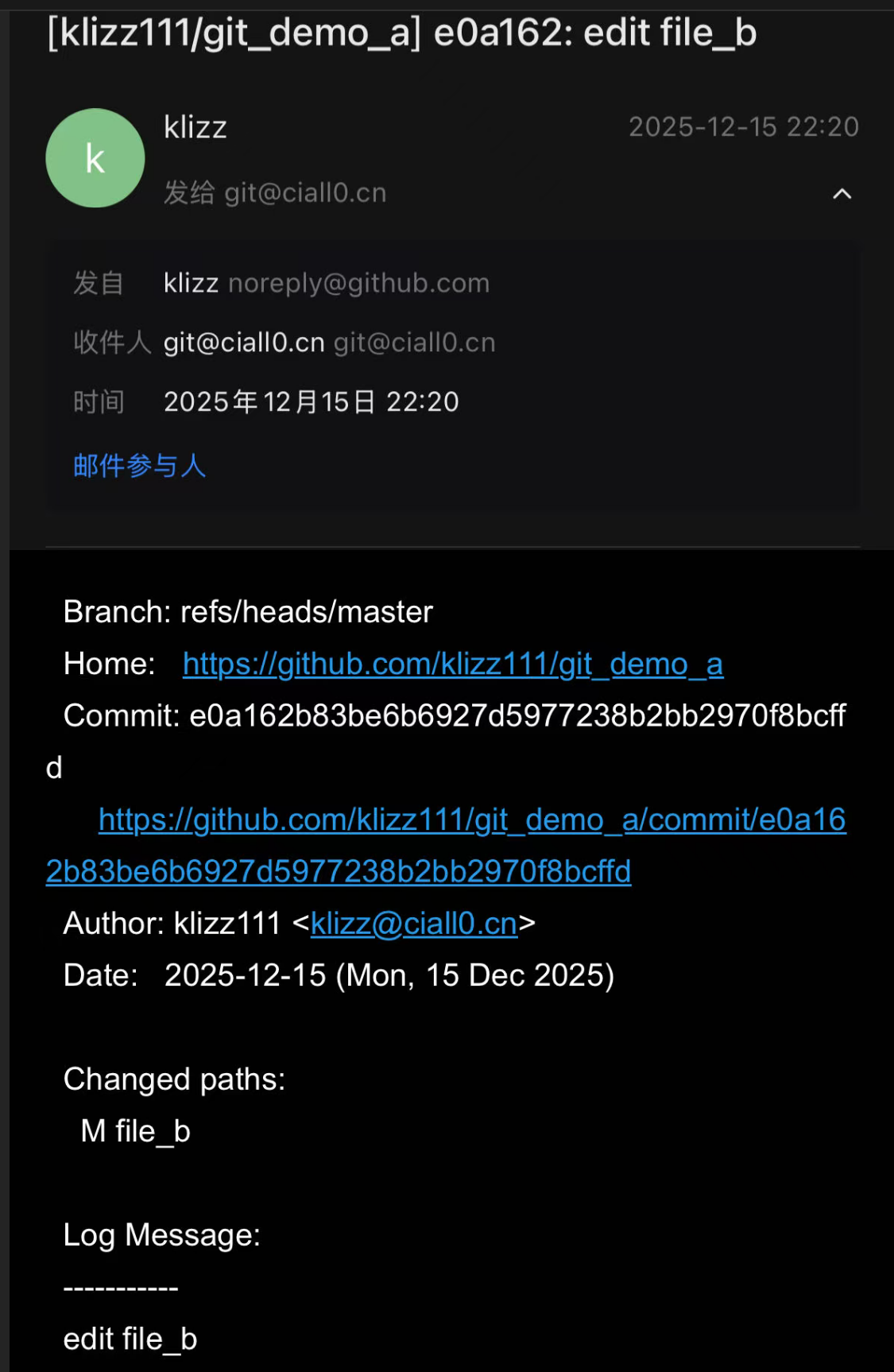
- 可以设置Email Notification, 这样每次push之后都会收到邮件
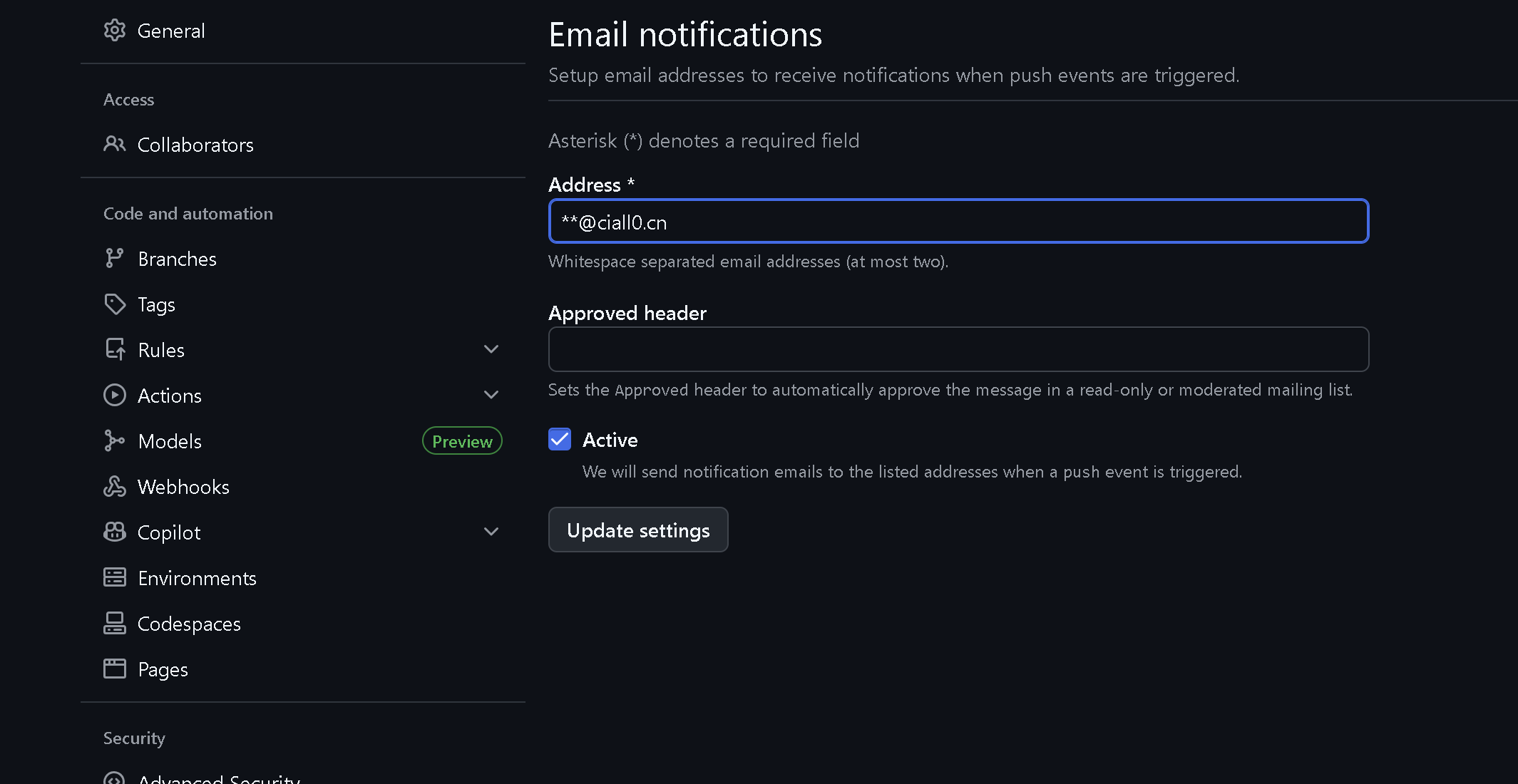
- 由于只能填两个地址,所以可以整一个邮件组,或者直接建一个支持SMTP的共享账号
不要交叉merge
假设现在有两个branch,一个 master 一个 dev, 当前的状态如下: 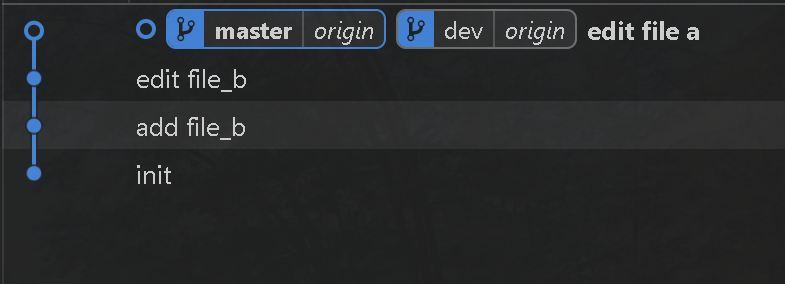
此时 file_a 的状态如下:
this is file a
edit file a这时,另一个用户工作在 dev 上的 edit file_b commit中,并没有git pull 同步最新commit。这时候,他修改了 file_a,状态如下:
this is file a
edit again and cause conflict在修改完后,他提交了一个叫做 user b edit file_a 的commit,并且尝试点击 提交 按钮上传
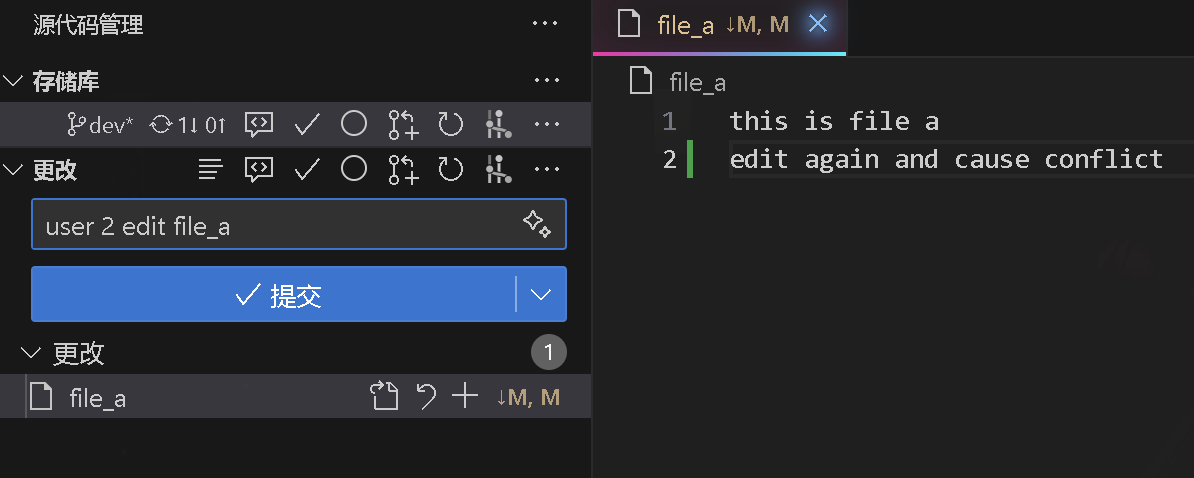
如果用的是vscode上的git插件,会出现这样的情况,然后他合并冲突,message用的是默认的 Merge branch 'dev' of https://github.com/klizz111/git_demo_a into dev
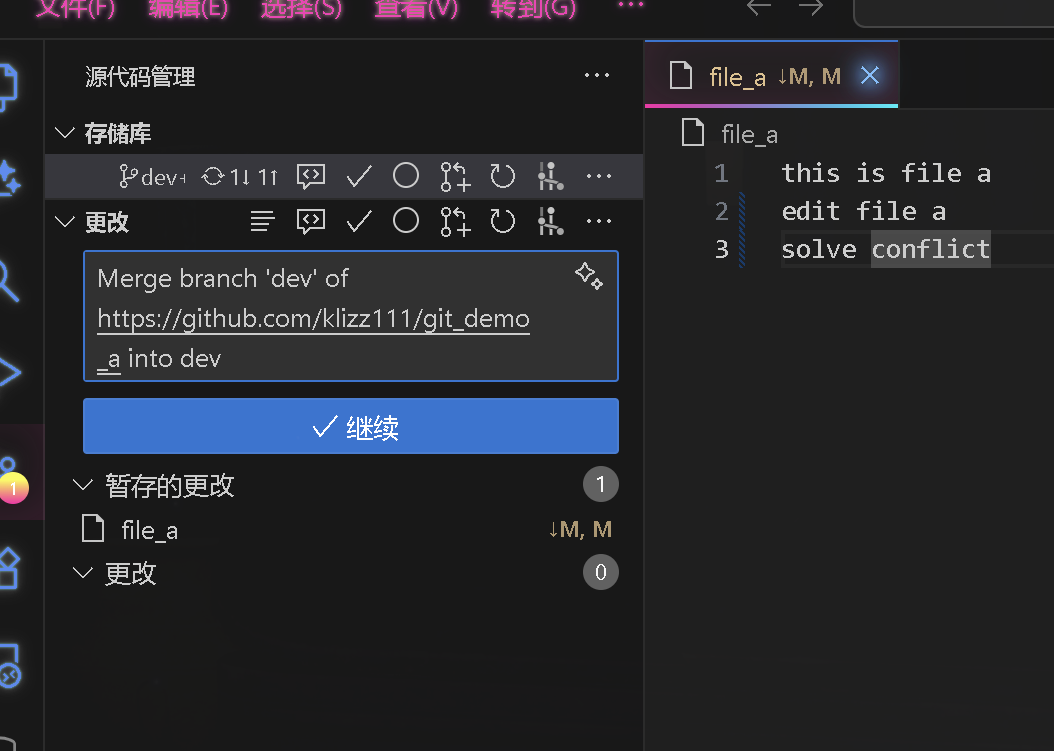
提交后,就会变成如下情况
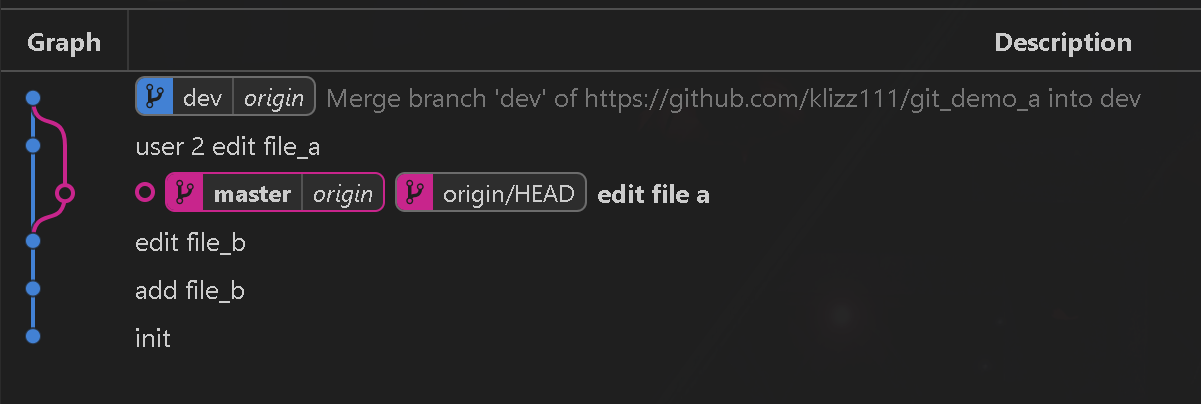
这种情况,说它行吗,其实也不是不可以,但是给我的感觉就是很混乱
IMPORTANT
应该怎么做? 让我们先回到commit edit file_b 时的状态,修改 file_a 修改前,如图,我们落后一个commit 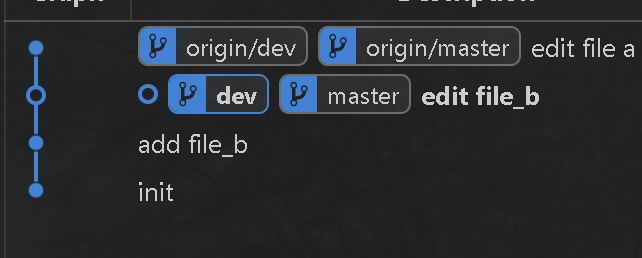 修改
修改 file_a,状态如下: 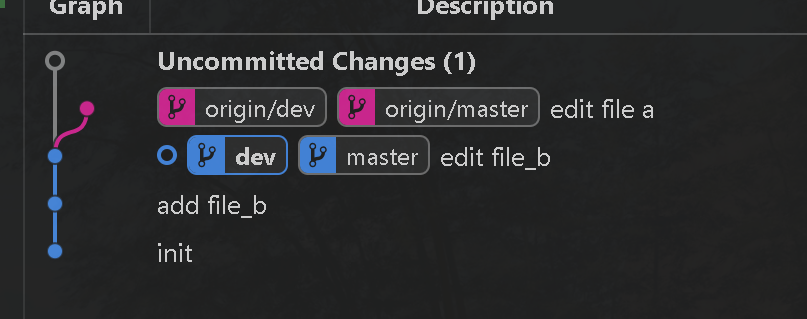 其实这时候用 git status 时也提醒我们了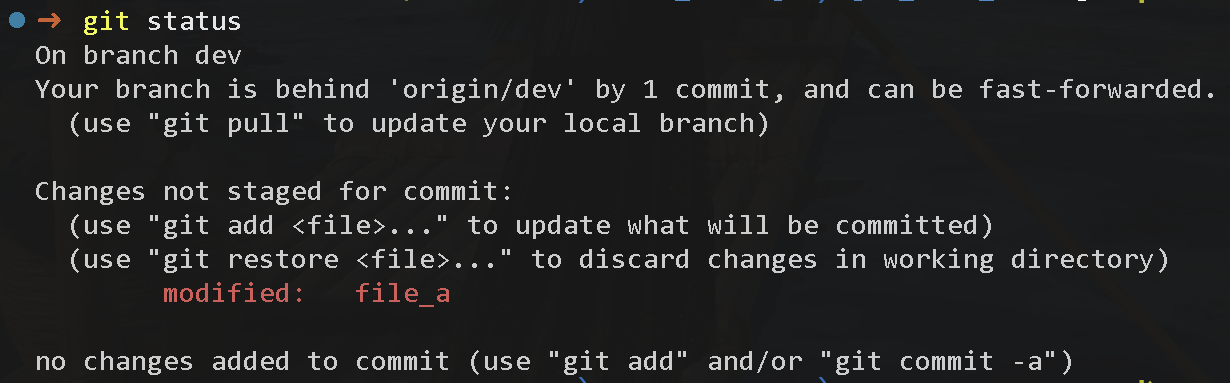
- 先git fetch 拉取最新commit
- git stash 暂存
而不是先创建一个commit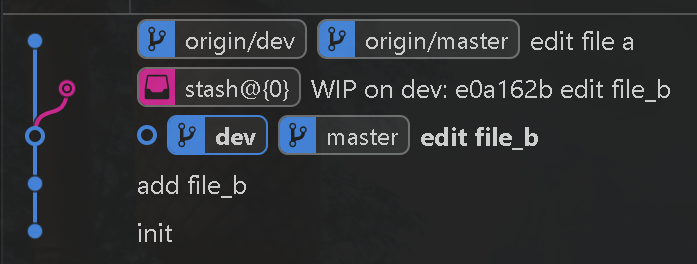
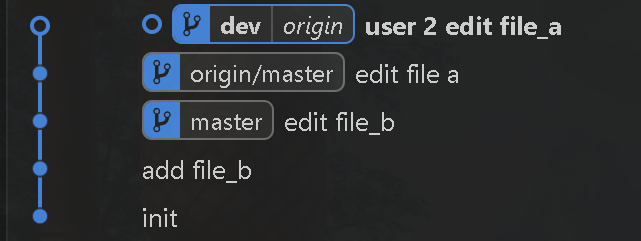
- git pull --rebase 拉取最新commit
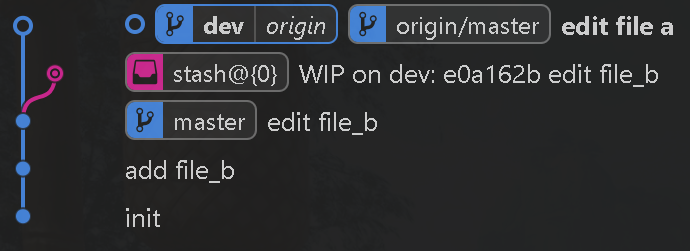
- git stash pop 恢复暂存的修改,这时候vscode git插件就会提醒你处理冲突
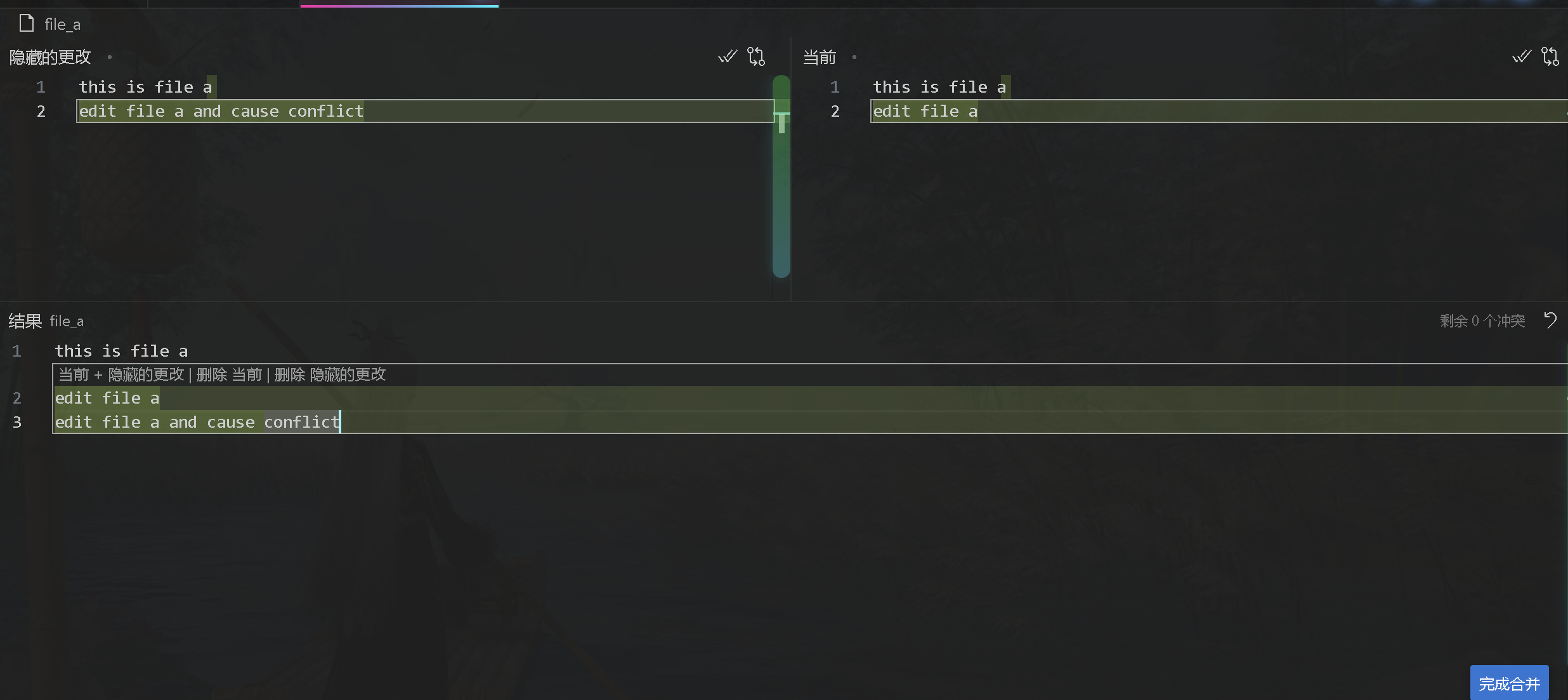
- 这时候你就可以处理冲突,可以把本地和远程的更改都合并上
- 处理完后commit提交并push即可,效果如下
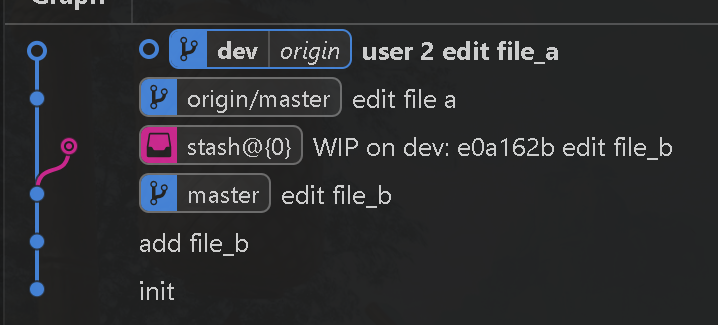
- 这样的效果是不是比上面的好多了,不会导致一个commit有两个parents的情况,最后可以运行 git stash drop 删除暂存记录
使用merge进行fast-forward
同样的,还是上面的情况,但是这时候我们有了一个新的branch local_dev,我们在这个branch上工作
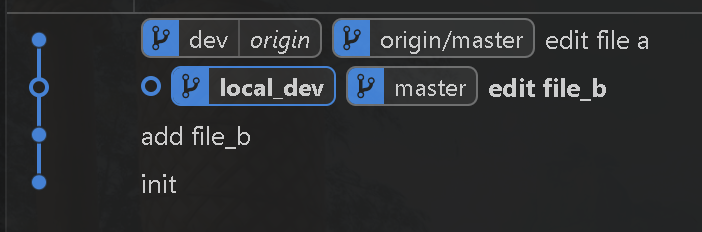
仍旧,dev领先我们一个commit,并且我们修改了 file_a,创建了一个新commit user 2 edit file a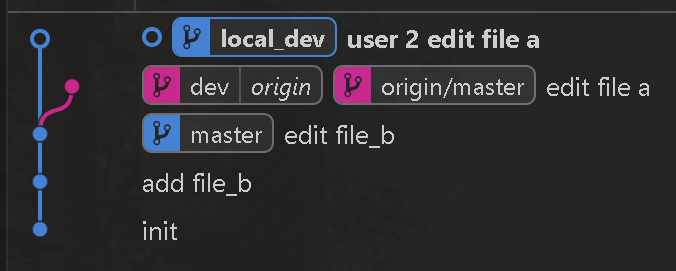
这时候我们没有对 dev 做任何修改,先 checkout 回 dev进行pull拉取最新更新,然后运行 git merge local_dev 进行fast-forward,在理想状况下可以直接合并,并只有 user 2 edit file a 这一个commit。这里是只修改了file b所以没有冲突可以直接合并
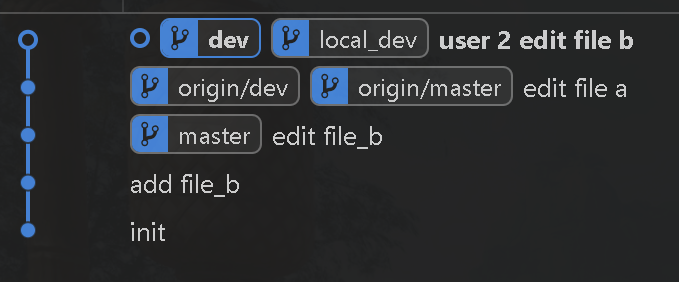
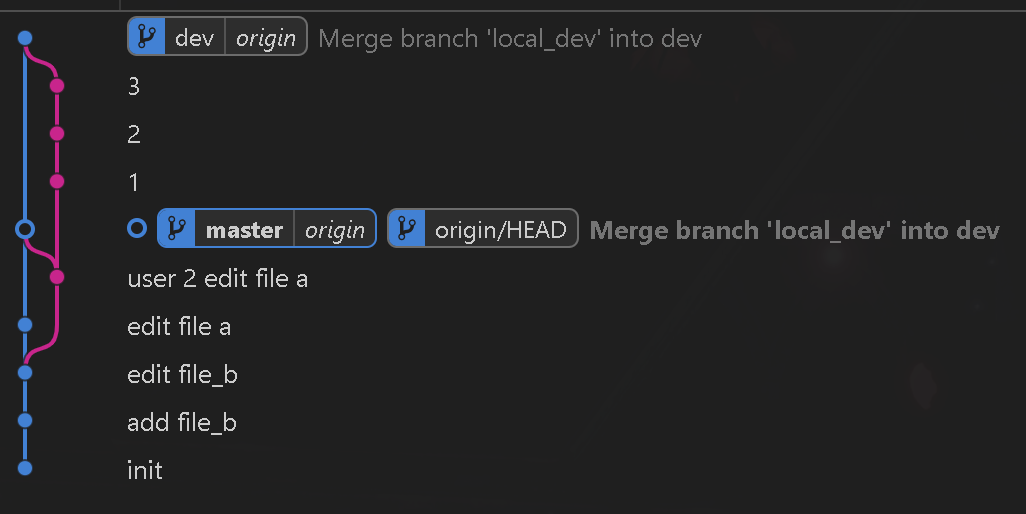
如果有冲突,合并完后情况如下
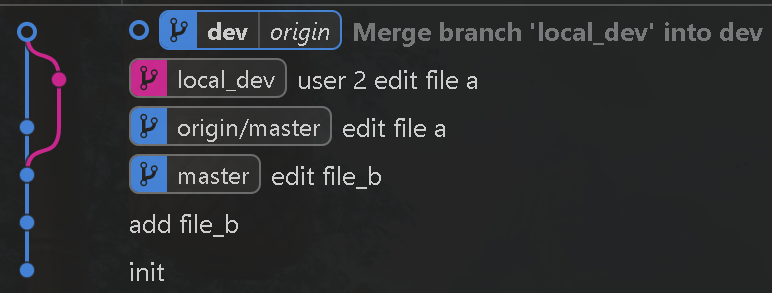
最终合并完的内容应该是这样的
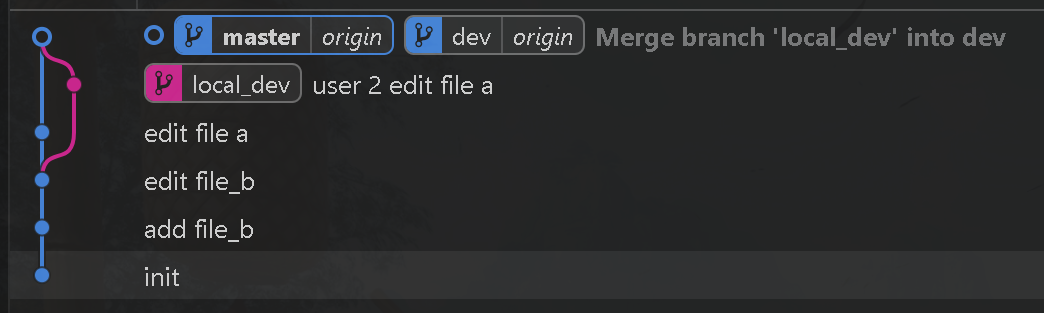
整个项目理想的情况
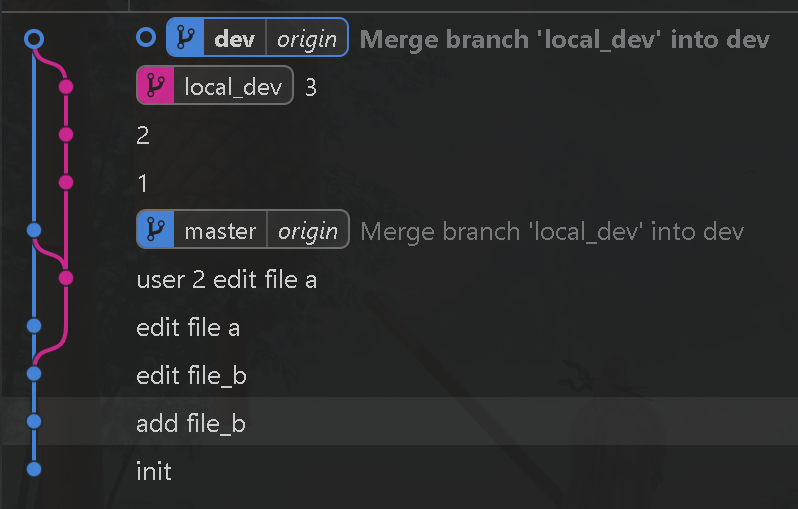
既只有dev只有进而没有出,就像一条主干道直走不会变,但是会有很多辅路汇入
并且在这过程中,local_dev 是不会push到远程的,避免导致 git graph上一堆标签
糟糕的情况
